Table of Contents
- What “Trading Tools” Really Means
- The Essential Trading Tools, Grouped by Job
- A Reliable Trading Platform (Execution Tool)
- Charting and Technical Analysis Tools
- An Economic Calendar (Macro Awareness Tool)
- Market News and Real-Time Updates (Context Tool)
- A Watchlist and Screening Tool (Idea Tool)
- Risk Management Tools (Position Sizing and Exposure)
- Trade Management Tools (Stops, Targets, Partials, Trailing Logic)
- A Trading Journal (Review Tool)
- Performance Analytics (Numbers That Actually Matter)
- Backtesting and Practice Tools (Skill-Building)
- Automation and Alerts (Time-Saving Tools)
- Match Tools to Your Trading Style
- Get Kraitos Elite Now!
- Prioritize Reliability Over Features
- Keep Your Stack Small
- Demand Clarity in Costs
- Check Integration and Workflow
- Protect Your Security and Privacy
- Starter Toolkit (Keep It Simple)
- Intermediate Toolkit (Add Structure)
- Advanced Toolkit (Only If You Need It)
- Common Mistakes When Choosing Trading Tools
- A Practical Checklist Before You Commit to Any Tool
- Where Auvoria Prime Fits in a Serious Trading Toolkit
- Conclusion: Build a Toolkit You Can Actually Use
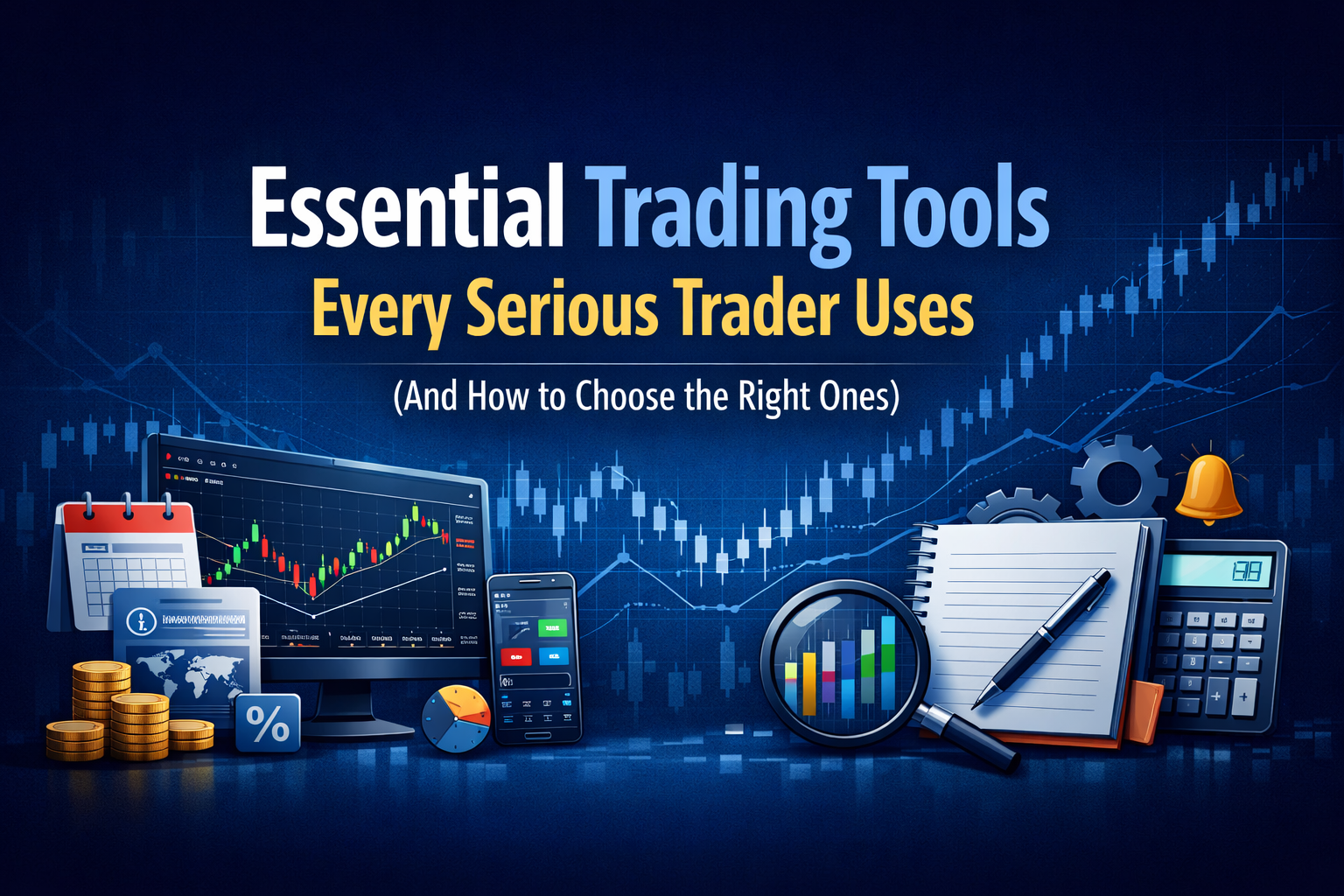
If you search “trading tools,” you will find thousands of platforms, indicators, apps, scanners, and add-ons. It is easy to assume that more tools equals better results. In real trading, the opposite is often true. Serious traders usually win by doing the basics well: clear decisions, controlled risk, consistent execution, and honest review.
Trading tools are there to support that process. The right tools reduce mistakes, save time, and help you stay consistent. The wrong tools create noise, confusion, and overtrading.
In this guide, we will break down the essential trading tools that most serious traders use, what each tool is for, and how to choose the right ones for your goals. The goal is not to build the biggest toolkit. The goal is to build a simple, reliable setup you can use every day.
What “Trading Tools” Really Means
Trading tools are anything that helps you:
- Find opportunities (research and scanning)
- Plan entries and exits (analysis and decision support)
- Execute trades (platform and order tools)
- Manage risk (position sizing and protection)
- Review performance (journaling and analytics)
When these steps are covered, you are no longer guessing. You are running a process.
The Essential Trading Tools, Grouped by Job
A Reliable Trading Platform (Execution Tool)
This is the foundation. Your platform is where you place orders, set risk controls, and manage trades. For many traders, platform problems are the fastest way to turn a good plan into a bad outcome.
What to look for:
- Fast, stable performance (especially during active market hours)
- Clear order types (market, limit, stop, stop-limit where relevant)
- Easy stop-loss and take-profit placement
- One-click modifications for risk management
- Clean reporting: fills, costs, swaps, commissions, and history
- Mobile access that matches the desktop experience
- Strong account security (2FA, device controls)
A serious trader chooses a platform that is boring in the best way. It just works.
Charting and Technical Analysis Tools
Charts help you see price behavior, structure, trends, ranges, volatility, and key levels. Most serious traders keep their charts simple. They do not want a screen full of indicators. They want clarity.
Core charting features that matter:
- Multiple timeframes
- Drawing tools (levels, trendlines, zones)
- Candlestick and line options
- Basic indicators (moving averages, ATR, RSI, volume where relevant)
- Templates and layouts (so your workflow is repeatable)
- Alerts on price levels and conditions
- Clean zoom and replay for study
How to choose charting tools:
- Pick one charting setup and learn it deeply
- Avoid indicator-hopping every week
- Choose what matches your strategy (trend, range, breakout, pullback)
Tip: Your “best” charting tool is the one that helps you make the same decision the same way, every time.
An Economic Calendar (Macro Awareness Tool)
Even technical traders need to know when high-impact news is scheduled. In many markets, big releases can widen spreads, increase slippage, and trigger sudden volatility.
A good economic calendar helps you:
- Avoid entering trades right before major events
- Reduce position size when volatility is expected
- Understand why price is moving
What to look for:
- Time zone support
- Clear “impact” labels
- Filters by currency, country, or event type
- Historical values and forecasts
Market News and Real-Time Updates (Context Tool)
You do not need to consume news all day. But you do need a way to check what is moving markets, especially during unusual volatility.
Serious traders use news tools to:
- Confirm whether a move is news-driven
- Stay aware of risk events (central banks, major headlines)
- Avoid trading blind during unstable periods
How to use news without drowning in it:
- Check news at set times, not constantly
- Track only the markets you trade
- Save a short list of trusted sources
- Focus on what changes volatility and liquidity
A Watchlist and Screening Tool (Idea Tool)
If you trade multiple instruments, you need a system for narrowing focus. A watchlist is the simplest trading tool that many people ignore. It saves you from random scrolling.
A serious watchlist:
- Covers a small number of instruments you know well
- Includes notes (key levels, trend bias, event risk)
- Has alerts so you do not stare at charts all day
If you prefer scanning, look for tools that allow:
- Filters for volatility, volume, price behavior, and trend
- Alerts when conditions match your plan
- Simple exporting to your watchlist
The best scanner is not the one with the most filters. It is the one that finds setups your strategy can actually trade.
Risk Management Tools (Position Sizing and Exposure)
This is the category that separates serious traders from hopeful traders.
At minimum, you want a position sizing tool that can calculate:
- Risk per trade (as a fixed percent or fixed amount)
- Position size based on stop-loss distance
- Pip or point value
- Margin impact (especially if leverage is used)
- Total exposure across correlated positions
If you use multiple instruments, you also need exposure awareness:
- How many trades depend on the same currency or market driver
- Whether positions are highly correlated
- Worst-case loss if stops are hit together
Simple rule: If you cannot calculate risk in 10 seconds, your tools are not helping enough.
Trade Management Tools (Stops, Targets, Partials, Trailing Logic)
Many losses come from poor trade management, not poor entries.
Useful trade management features:
- Bracket orders (entry with stop and target attached)
- Partial close options
- Break-even tools (manual or rules-based)
- Trailing stops (used carefully, not emotionally)
- Alerts when price nears your stop or target
- Notes on open trades (why you entered, what would invalidate)
A serious trader knows in advance what will happen if price goes up, down, or sideways. Tools should make those actions easy.
A Trading Journal (Review Tool)
This might be the most important tool on the list. A journal turns random trading into measurable practice.
What to track in a journal:
- Market and instrument
- Setup type (your strategy name)
- Entry, stop, target
- Risk amount and position size
- Reason for entry (one or two clear sentences)
- Screenshot before and after (if possible)
- Outcome and notes
- Mistakes (if any)
- What you will do differently next time
What serious traders do with journals:
- Review weekly, not only after a bad day
- Identify patterns (best setups, worst mistakes)
- Cut the setups that do not work for them
- Improve execution, not chase new indicators
A journal can be a spreadsheet, an app, or a simple template. The format matters less than consistency.
Performance Analytics (Numbers That Actually Matter)
A serious trader knows their numbers. Not to brag, but to improve.
Key metrics to track:
- Win rate (but never alone)
- Average win vs average loss
- Expectancy (average outcome per trade)
- Maximum drawdown
- Profit factor
- Streak behavior (how you perform after wins and losses)
- Time of day performance
- Mistake rate (yes, track it)
The goal is to answer:
- What works for me?
- What harms me?
- What should I repeat next week?

Backtesting and Practice Tools (Skill-Building)
Backtesting is how you stress-test ideas before risking real money. It also helps you learn what “normal” looks like for your strategy.
Good practice tools include:
- Bar replay or historical replay
- Ability to mark entries and exits
- Simple stats on results
- Note-taking and screenshots
Backtesting does not need to be perfect to be useful. It just needs to be honest and consistent.
Automation and Alerts (Time-Saving Tools)
Automation is not only for advanced traders. Even basic alerts are a form of automation. They reduce screen time and help you act only when conditions appear.
Examples of useful automation:
- Price alerts at key levels
- Volatility alerts (ATR or range thresholds)
- Session open alerts
- News event reminders
- Rule-based trade assistance (used carefully)
For traders interested in algorithmic support, expert advisors and similar tools can help with execution discipline, trade management, or monitoring. The key is the same: you must understand what the tool does, when it trades, and how it manages risk.
If you use automation, treat it like a junior assistant, not a magic button.
How to Choose the Right Trading Tools
Here is the selection framework that keeps serious traders from wasting time and money.
Match Tools to Your Trading Style
Ask yourself:
- Do I trade short-term, swing, or long-term?
- Do I trade trends, ranges, breakouts, or pullbacks?
- Do I trade one instrument or many?
- Do I need deep analysis, or simple execution and risk control?
Your tools should support your style, not push you into someone else’s.
Get Kraitos Elite Now!
Supercharge your trading with our expert advisors. Start your journey today!
Prioritize Reliability Over Features
A tool that crashes, lags, or shows inconsistent data is not a tool. It is a problem.
Choose tools with:
- Strong uptime history
- Good support
- Clear documentation
- Consistent data feeds
Keep Your Stack Small
More tools create more decisions. More decisions create more errors.
For most traders, the “serious” stack can be:
- One platform for execution
- One charting setup
- One calendar
- One journal
- One position sizing method
Add tools only when you can clearly explain what problem they solve.
Demand Clarity in Costs
Know what you pay, and why:
- Spreads and commissions
- Platform fees
- Data fees
- Swap or financing costs for held positions
- Extra charges for add-ons
A tool is only “cheap” if it does not create expensive mistakes.
Check Integration and Workflow
Tools should fit together:
- Can you export trade history?
- Can you attach screenshots to your journal?
- Can you set alerts that match your strategy?
- Can you review results quickly?
If your workflow is messy, your results will be messy.
Protect Your Security and Privacy
Trading tools deal with sensitive data. Use:
- Strong passwords and password managers
- Two-factor authentication
- Official downloads only
- Limited permissions for third-party tools
If a tool looks shady, skip it.
Starter Toolkit (Keep It Simple)
- Broker platform with stable execution
- Clean charting with basic drawing tools
- Economic calendar
- Basic position sizing calculator
- Simple journal template
Intermediate Toolkit (Add Structure)
- Alerts for key levels and volatility
- Improved journaling with screenshots
- Weekly performance review dashboard
- Scanner or stronger watchlist system
- Backtesting and replay practice
Advanced Toolkit (Only If You Need It)
- Automation for alerts and trade management
- Deeper analytics
- Multi-market correlation awareness
- Robust backtesting process
- Rules-based execution support
Common Mistakes When Choosing Trading Tools
- Buying tools before building a strategy
- Changing indicators every week
- Relying on signals without understanding risk
- Using automation without monitoring and testing
- Ignoring costs (especially spreads, slippage, and swaps)
- Skipping journaling because it feels “boring”
- Adding tools to avoid doing the hard work of discipline
Tools do not replace skill. They support skill.
A Practical Checklist Before You Commit to Any Tool
- What exact problem does this tool solve for me?
- Will it reduce errors or reduce time?
- Can I explain how it works in simple words?
- Can I test it in a demo or practice mode?
- Does it fit my current strategy and schedule?
- Can I measure whether it helps within 30 days?
If you cannot answer these, do not add the tool yet.
Where Auvoria Prime Fits in a Serious Trading Toolkit
Many traders want help with consistency and discipline. This is where tools like social trading, rule-based systems, and expert advisor style solutions can be part of the toolkit for some people.
If you are exploring Auvoria Prime tools or services, apply the same rules:
- Understand the strategy logic
- Know the risk settings
- Start small
- Track performance in a journal
- Avoid overconfidence after short-term results
The tool should help you stay consistent. It should never push you to increase risk beyond what you can handle.
Conclusion: Build a Toolkit You Can Actually Use
The best trading tools are the ones you use consistently. Start with the essentials: execution, charts, calendar, risk, and journaling. Then improve your workflow step by step.
If you do that, your tools will stop being distractions and start being a real advantage.
Risk Disclaimer (AuvoriaPrime.com)
Trading involves substantial risk and is not suitable for everyone. You can lose some or all of your invested capital. Past performance is not indicative of future results. Any examples, frameworks, or tool suggestions in this article are for educational purposes only and do not constitute financial, investment, or trading advice. You are responsible for your own trading decisions, risk settings, and due diligence. If you are unsure whether trading is appropriate for you, consider seeking independent advice from a qualified professional. Use of any software, automation, signals, or third-party tools does not eliminate risk and may increase it if used improperly.
Define Foreign Exchange Management: A Complete Guide to Managing Currency
To define foreign exchange management in simple terms, it is the process of identifying, monitoring, and managing the financial risks…
FGP1 September 2026 Performance Overview
Geographic Restriction & Risk Notice FGP1 is geographically restricted and is not available to U.S. persons or residents. Trading involves substantial…

Australian Dollar (AUD): Why It Strengthened in 2026 and What
The Australian dollar (AUD) has attracted considerable attention in the foreign exchange market throughout 2026. After experiencing a notable appreciation…
Quantitative Trading: A Complete Guide to Data-Driven Trading Strategies
Quantitative trading has changed the way many traders approach financial markets. Instead of making every decision based on instinct, chart…
CFDs Meaning Trading: A Complete Guide to Understanding Contracts for
One term that frequently appears in online trading is CFDs. If you’ve searched for CFDs meaning trading, you’re likely looking…
FGP1 August 2026 Performance Overview
Geographic Restriction & Risk Notice FGP1 is geographically restricted and is not available to U.S. persons or residents. Trading involves substantial…